

The term “best productivity apps for remote work teams” refers to software solutions that enable distributed teams to collaborate effectively, manage tasks, and maintain high levels of productivity despite physical distance. In 2026, remote work continues to be a significant part of many industries, making these tools crucial for success.
As remote work evolves, teams face new challenges in maintaining productivity and collaboration. This article explores the top productivity apps for remote work teams in 2026, examining their features, strengths, and weaknesses. By the end of this article, readers will have a comprehensive understanding of the best tools available to enhance their team’s productivity and collaboration.
Task Management Tools for Remote Teams
Task management is critical for remote teams to organize work, assign responsibilities, and track progress. In 2026, popular task management tools include Asana, Trello, and Jira. These tools offer features such as project timelines, task assignment, and progress tracking, helping teams stay on top of their work.
Asana is known for its robust task management capabilities, allowing teams to create and assign tasks, set deadlines, and track progress. Trello uses a Kanban board approach, providing a visual representation of tasks and projects. Jira is particularly popular among software development teams, offering advanced features like agile project planning and issue tracking.
When choosing a task management tool, teams should consider their specific needs and workflows. For example, teams with complex projects may benefit from Jira’s advanced features, while smaller teams may find Trello’s simplicity more appealing. The right tool can significantly enhance a team’s ability to manage tasks effectively.
Communication and Collaboration Platforms
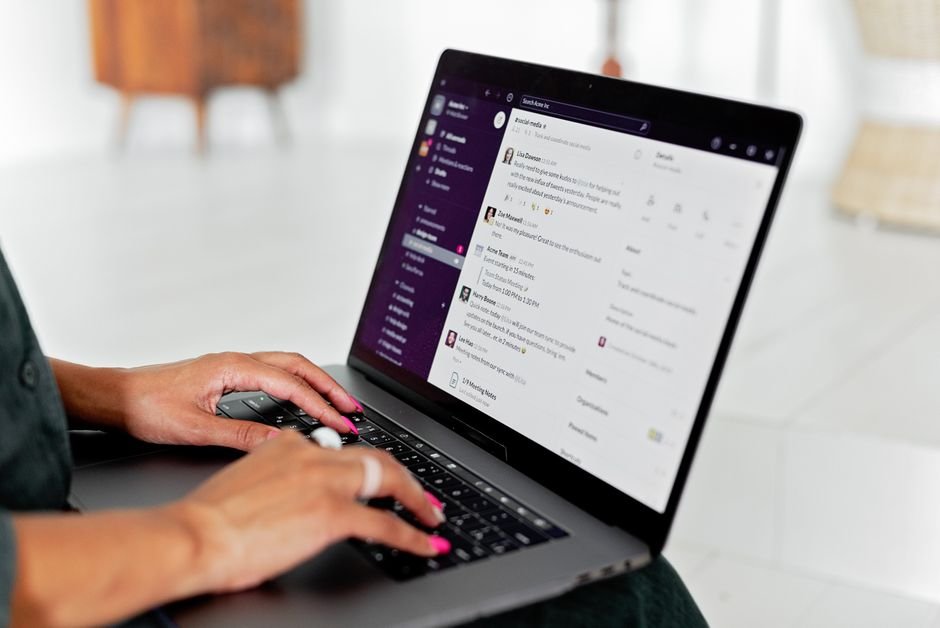
Effective communication is the backbone of any successful remote team. In 2026, communication and collaboration platforms continue to play a vital role in facilitating team interactions. Tools like Slack, Microsoft Teams, and Discord have become essential for remote teams, offering features such as real-time messaging, video conferencing, and file sharing.

Slack is renowned for its flexibility and customization options, allowing teams to create channels for different topics and integrate with various third-party apps. Microsoft Teams is tightly integrated with the Microsoft Office suite, making it an attractive option for teams already using Microsoft products. Discord, while originally designed for gamers, has also found a place among remote teams due to its robust voice and video communication features.
The choice of communication platform often depends on the team’s existing technology stack and specific needs. For instance, teams heavily invested in the Microsoft ecosystem may find Microsoft Teams to be the most seamless choice. Evaluating the integration capabilities of these platforms is crucial for ensuring they meet the team’s requirements.
Time Management and Productivity Tracking Tools
Tracking time and productivity is crucial for remote teams to ensure work is done efficiently. Tools like Toggl, Harvest, and RescueTime offer various features to help teams manage their time more effectively. Toggl is known for its simple and intuitive time-tracking interface, while Harvest provides additional features such as invoicing and expense tracking.
RescueTime takes a more automated approach, tracking how much time individuals spend on different applications and activities. This can provide valuable insights into productivity patterns and help teams identify areas for improvement. By using these tools, teams can optimize their workflows and enhance overall productivity.
- Toggl: Offers a user-friendly time-tracking interface with reporting features.
- Harvest: Combines time tracking with invoicing and expense tracking.
- RescueTime: Provides automated time tracking and productivity insights.
- Clockify: A free time-tracking tool with unlimited users.
- Timely: Offers automatic time tracking with AI-powered categorization.
Document Collaboration and Storage Solutions
Document collaboration is a critical aspect of remote work, requiring tools that allow multiple team members to work on documents simultaneously. Google Workspace and Microsoft 365 are two of the most popular suites for document collaboration, offering tools like Google Docs and Microsoft Word Online.
These tools provide real-time collaboration features, allowing team members to see each other’s changes instantly. They also offer robust storage solutions, ensuring documents are accessible from anywhere. The ability to collaborate in real-time is essential for remote teams to work efficiently.
| Tool | Real-time Collaboration | Storage Capacity | Integration |
|---|---|---|---|
| Google Workspace | Yes | 1TB/user (Business Starter) | Seamless with Google services |
| Microsoft 365 | Yes | 1TB/user (Business Basic) | Tight integration with Microsoft products |
| Dropbox Business | Yes | 3TB/user (Advanced) | Extensive third-party integrations |
| Notion | Yes | 1GB (Free), more with paid plans | Highly customizable with API |
| Box | Yes | 10GB (Starter) | Strong security and compliance features |
Virtual Whiteboard and Brainstorming Tools
Virtual whiteboards have become essential for remote teams to brainstorm and collaborate visually. Tools like Miro, Figma, and Microsoft Whiteboard offer digital canvases where teams can ideate, plan, and collaborate in real-time.
Miro is particularly popular for its versatility, offering a range of templates and tools for different types of brainstorming and planning sessions. Figma, while primarily a design tool, also offers robust collaboration features that make it useful for teams beyond just designers. These tools facilitate creative collaboration and are vital for remote teams.
A recent survey highlighted the growing importance of digital whiteboard tools in remote work environments, with 74% of remote teams using these tools to enhance collaboration and creativity. This statistic underscores the value of virtual whiteboards in modern remote work setups.
Security and Privacy Considerations for Productivity Apps
As remote work becomes more prevalent, security and privacy concerns are taking center stage. Teams must ensure the productivity apps they use are secure and compliant with relevant regulations. This includes features like end-to-end encryption, two-factor authentication, and regular security audits.
Many productivity apps now prioritize security, with some offering advanced features like zero-knowledge encryption. Teams should carefully evaluate the security features of any app they consider using, especially when handling sensitive information. Security is a critical factor in choosing the right productivity tools.
When selecting a productivity app, teams should look for features like data encryption, secure authentication, and compliance with industry standards. Ensuring the security of productivity apps is essential for protecting team data and maintaining trust.
Conclusion
The landscape of productivity apps for remote work teams in 2026 is diverse and rapidly evolving. From task management and communication platforms to time tracking and document collaboration tools, there’s a wealth of options available to teams. The key is to identify the tools that best fit your team’s specific needs and workflows.
As we move forward, we can expect to see even more innovative solutions emerge to address the challenges of remote work. Teams that stay informed and adaptable will be best positioned to thrive in this new environment. Regularly assessing the effectiveness of productivity tools is crucial for ongoing success.
FAQs
What are the essential productivity apps for remote teams?
Essential productivity apps for remote teams typically include task management tools like Asana or Trello, communication platforms like Slack or Microsoft Teams, and document collaboration tools like Google Workspace or Microsoft 365. These tools help teams manage tasks, communicate effectively, and collaborate on documents.
How do I choose the right productivity app for my team?
To choose the right productivity app, consider your team’s specific needs, workflows, and existing technology stack. Evaluate features, ease of use, and integration capabilities before making a decision. It’s also important to assess the security features of the app.
What security features should I look for in productivity apps?
When selecting productivity apps, look for features like end-to-end encryption, two-factor authentication, regular security audits, and compliance with relevant industry regulations. Ensuring the app is secure is crucial for protecting your team’s data.