
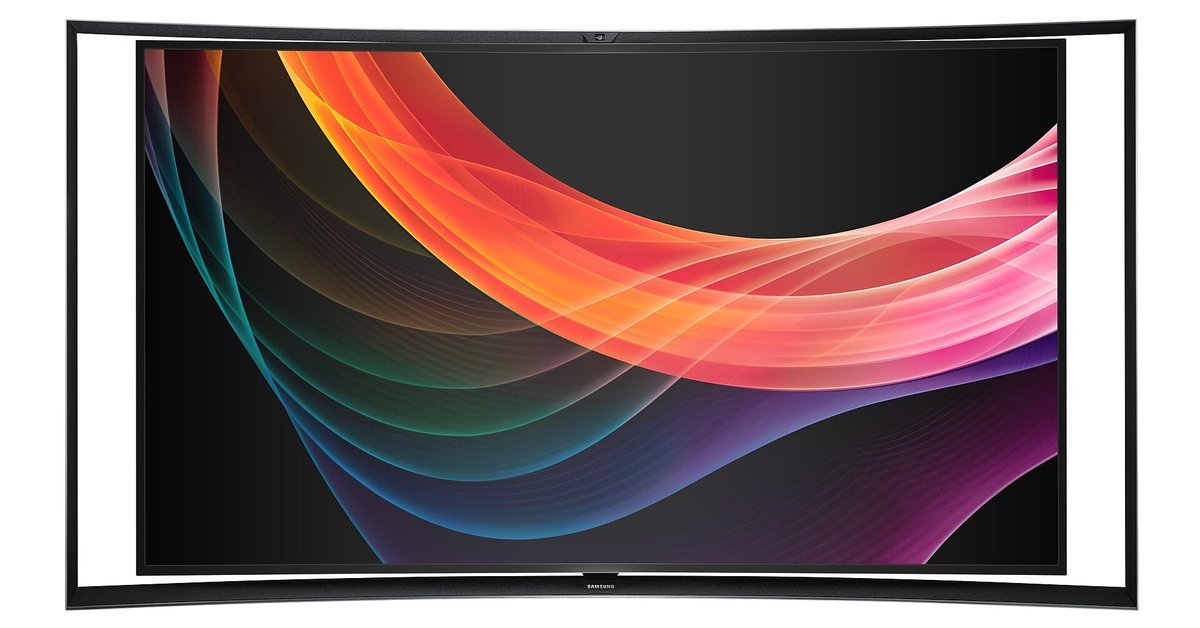
60Hz vs 120Hz is a question of how often the screen redraws: a 120Hz display does it twice as often, so the wait between frames drops from about 16.7 ms to 8.3 ms. Motion gets smoother only when the source sends more than 60 frames a second, or when the TV adds in-between frames with motion smoothing. Consoles add conditions: the game needs a 120fps mode, the TV input must accept 120Hz (HDMI 2.1 for 4K at 120Hz), and the cable must be fast enough for the signal.
Last checked November 2026.
60Hz vs 120Hz in milliseconds
Hertz here means screen updates per second. Frame rate is a separate number: how many fresh images the game or video delivers, which Nintendo notes varies by game. Extra refreshes add smoothness only when a title supplies the frames; Sony’s own 120 Hz Output setting is meant for games with a 120 Hz frame rate. Divide 1,000 by the refresh rate for the time between updates: 16.67 ms at 60Hz, 8.33 ms at 120Hz. No rate above 120Hz can ever save that much again, since only 8.33 ms is left to remove. The 120Hz vs 144Hz breakdown tabulates the steps from 60 to 240Hz and covers PC monitors.
What it takes to get 120Hz on a console
The game, the console setting, the TV input and the cable all have to agree. Every cell comes from makers’ or standards bodies’ own pages, checked November 6, 2026.
| Device | Most it sends | Resolutions listed with 120 | Port and cable | Where to switch it on | Source |
|---|---|---|---|---|---|
| PS5 | 120Hz in games that support it | 4K and 1440p (with a 120Hz test); 1080p 120Hz also named | HDMI 2.1; the included cable, or a 4K 120Hz rated Ultra High-Speed cable | Video Output menu: 120 Hz Output | Sony |
| PS5 Pro | 120fps (with 120Hz output); VRR | 4K output in compatible games; 1440p output listed | HDMI cable in the box, type not stated | Same Video Output menu (Sony’s guide covers PS5 Pro) | Sony |
| Xbox Series X | Up to 120 FPS | 4K at 120Hz | One HDMI 2.1 port; Ultra High Speed HDMI cable in the box | TV & display options: Refresh rate, 120 Hz | Microsoft |
| Xbox Series S | Up to 120 FPS | 1440p target; the resolution used at 120 is not stated | One HDMI 2.1 port; Ultra High Speed HDMI cable in the box | TV & display options: Refresh rate | Microsoft |
| Switch 2, handheld | 120 fps in compatible games; screen VRR up to 120Hz | 1920 x 1080 | Not applicable | No system setting listed; games set their own modes | Nintendo |
| Switch 2, docked | 120 fps; 4K capped at 60 fps | 1080p and 1440p only | HDMI through the dock, version not stated; Ultra High Speed HDMI cable in the box | System Settings, Display: 120 Hz Output | Nintendo |
| Your TV | Must accept 120Hz at the resolution chosen | Some sets do 120Hz only at lower resolutions, such as 1080p | For 4K at 120Hz, an HDMI 2.1 input; some sets offer 120Hz only on certain inputs | HDMI 2.1 features may need enabling in TV settings | Sony; Microsoft; Nintendo |
| The cable | Ultra High Speed HDMI Cable: up to 48Gbps | Examples HDMI LA gives: 4K at 50, 60, 100 or 120Hz and 8K at 50 or 60Hz | Check for the certification label on the package | Not applicable | HDMI Licensing Administrator |
A box that only says HDMI 2.1 proves little, because HDMI LA licensing allows a version number only when it is tied to a specific feature; check that the TV lists 4K at 120Hz for the input you plan to use. Per the HDMI LA’s specification overview, 4K at 120Hz with HDR needs a certified Ultra cable.
To see what a console is actually sending, the PS5 Video Output menu shows the Current Video Output Signal and the Switch 2 Display settings include Video Output Information; on Xbox, Epic points to 4K TV Details under TV & display options for the modes a TV accepts. VRR (variable refresh rate) is a separate setting: Nintendo describes it as the screen varying how many images it shows each second to match the game.
What “120Hz mode” means in a game
The console setting only makes 120Hz possible; each game decides whether to use it. Epic says Fortnite’s 120 FPS switch on PS5 needs the console’s Game Presets set to Performance Mode, and on Xbox needs 120 Hz console output. And a game’s high frame rate option can stop short of 120: Shift Up puts Stellar Blade’s HFR setting on PS5 Pro at 80 fps, with a 120Hz display required.
The table is a dated sample from publishers’ and platform holders’ own posts, not a complete list. Several rows rest on announcement posts published before a game or its PS5 Pro upgrade came out, so they record what was announced on that date, and modes change with patches: Rocket League’s Xbox 120 FPS support broke in its v2.54 update and returned in v2.55, in August 2025, and Modern Warfare 4 opened its 120Hz Performance Mode to screens without VRR in November 2026.
| Game | Platforms | What the official source says | Source and date |
|---|---|---|---|
| Call of Duty: Modern Warfare 4 | PS5, PS5 Pro, Xbox Series X|S | Since the Season 1 update, Performance Mode (120Hz) works on any PS5 or Xbox Series X|S connected to a 120Hz screen, VRR or not (VRR recommended); on PS5 Pro, frame rate uncapped with VRR and 120Hz both on | Call of Duty Season 1 patch notes, Nov 5, 2026; PlayStation Blog, July 15, 2026, before the Oct 23 launch |
| Fortnite | PS5, Xbox Series X|S | In-game 120 FPS toggle under Video settings | Epic Games help page, checked Nov 6, 2026 |
| Marvel Rivals | PS5, PS5 Pro | High Frame Rate Mode, up to 120 FPS; PS5 Pro raises its resolution | PlayStation Blog, Dec 2, 2024 |
| Rocket League | PS5; Xbox Series X|S | PS5 Performance setting: 120 FPS at 2688 x 1512, HDR on; needs a compatible screen plus an Ultra High Speed HDMI cable. Xbox 120 FPS restored in v2.55 | PlayStation Blog, Aug 17, 2021; Rocket League patch notes, Aug 20, 2025 |
| Rainbow Six Siege X | PS5, PS5 Pro, Xbox Series X|S | Performance setting targets 120 FPS in core Siege and 60 FPS in the Dual Front mode; 2160p on PS5, PS5 Pro and Series X, 1080p on Series S | Ubisoft News, May 18, 2025, before the June 10, 2025 Siege X launch |
| Gears of War: Reloaded | Xbox Series X|S | Multiplayer up to 120 FPS; campaign 60 FPS | Xbox Wire, Aug 26, 2025 |
| Halo Infinite | Xbox Series X|S | Target Frame Rate menu offers 120Hz; Series S has had 120Hz since its Season 2 update | Halo Support page, checked Nov 6, 2026 |
| Halo: The Master Chief Collection | Xbox Series X, Series S | Campaign and multiplayer at 120 FPS; 4K on Series X, 1080p on Series S | Xbox Wire, Nov 17, 2020 |
| Uncharted: Legacy of Thieves Collection | PS5 | Performance+ Mode targets 120fps at 1080p; 120Hz display required | PlayStation Blog, Dec 7, 2021 |
| Devil May Cry 5 Special Edition | PS5 | High Framerate Mode, up to 120fps on a compatible display | PlayStation Blog, Sept 16, 2020 |
| Monster Hunter Rise | Xbox Series X | Up to 120 FPS at 1080p, or up to 60 FPS at 4K | Xbox Wire, Dec 1, 2022 |
| Metroid Prime 4: Beyond, Nintendo Switch 2 Edition | Switch 2 | Performance Mode: 1080p at 120 fps on a TV, 720p at 120 fps on the console screen; 120 fps on a TV needs a compatible set | Nintendo store page, checked Nov 6, 2026 |
| Stellar Blade | PS5 Pro | HFR option: 80 fps, needs a 120Hz display | PlayStation Blog, Sept 24, 2024, before the PS5 Pro launch; quoted on Sony’s PS5 Pro page, checked Nov 6, 2026 |
60Hz vs 120Hz TV: native panels and marketing numbers
Samsung says 60Hz is the norm across most of its TVs, that many recent sets, above all gaming ones, go to 120Hz or beyond, and that a PC is typically needed past 120Hz. It also cautions that its “motion rate” figures do not directly measure refresh rate; a Samsung India support page on its F Series TVs, last updated in October 2020, says the older Clear Motion Rate folded panel refresh rate, processor speed and backlight control into one figure. LG says its TruMotion 240Hz paired 120Hz interpolation with backlight scanning, and some LG sets reached “120Hz TruMotion” with backlight scanning alone. A large Hz figure on the box can therefore describe processing rather than the panel.
Motion smoothing is a separate feature
Motion smoothing makes new in-between frames inside the TV. In LG’s account, TruMotion works out how objects travel between two real frames and draws a new one to slot between them. Samsung calls its version Auto Motion Plus, also named Picture Clarity, with separate blur and judder adjustments, and its motion smoothing guide says the effect suits live sports but gives films the soap opera look. Filmmaker Mode, the UHD Alliance’s picture mode, switches motion smoothing off and keeps the source’s own frame rate.
Movies and TV shows on a 120Hz screen
Most films are shot at 24 fps, Samsung notes, and LG adds that most Blu-ray movies are encoded at 1080p and 24 frames. A faster panel adds no frames unless interpolation is on; what it changes is timing.
- At 60Hz: 60 divided by 24 is 2.5, so frames cannot all get equal time. LG describes the 3:2 pulldown fix, in which frames alternate between two and three refreshes, 12 of each per second for 60 in total. Each film frame then stays up for either 33.3 ms or 50.0 ms.
- At 120Hz: 120 is exactly five times 24, so the arithmetic allows every film frame five refreshes, 41.67 ms apiece.
60Hz vs 120Hz for gaming: can you see the difference?
Cambridge researchers measured how viewers rate motion between 50 and 165Hz in a SIGGRAPH 2020 paper: visible flaws shrank as the rate climbed, with ever smaller differences above 100Hz. Another experiment equalized blur to isolate judder, and participants could pick it out at 50 and 60Hz, yet at 72 and 83Hz they could not tell the two clips apart. So 60Hz sat inside the range where judder showed, and 120Hz was well past it.
A 2026 journal article from University of Limerick and NVIDIA researchers had 101 players hit on-screen targets at 60, 144 and 360Hz. They reliably told 60Hz from 360Hz but not 144Hz from 360Hz, and stepping up from 60Hz improved accuracy and speed. 120Hz was not tested.
60Hz vs 120Hz on a phone
- Apple: spec pages for iPhone Duo, iPhone 18 Pro and Pro Max, iPhone Air and iPhone 17 list ProMotion with adaptive refresh up to 120Hz. The iPhone 17e and iPhone 16 pages list no ProMotion and state no refresh rate.
- Samsung: Galaxy S26, S26+ and S26 Ultra all go up to 120Hz with adaptive refresh.
- Google: Pixel 11 Pro and Pro XL run from 1 to 120Hz; Pixel 11 and Pixel 10a from 60 to 120Hz.
None of these makers’ pages puts a number on how much battery 120Hz costs. Google’s Pixel help page says Smooth Display raises battery use and that Battery Saver turns it off. Samsung says its 60Hz Standard setting saves the most battery and its fixed 120Hz High mode uses more. Apple calls ProMotion power-efficient, says Low Power Mode holds it to 60 frames per second, and describes the iPhone 17’s always-on display dropping to 1Hz when idle.
Frequently asked questions
Is 120Hz worth it?
For console games with a 120fps mode, yes: it halves the gap between frames. A 24 fps film gains no frames, though 120 divides evenly by 24. On a PC, Intel says a faster screen does little if games stay at 60 fps or below; this explainer on DLSS frame generation covers adding frames on top of a decent base rate, and why they do not speed up response.
Can you see the difference between 60Hz and 120Hz?
In lab tests, yes. Cambridge test subjects could see judder at 60Hz, yet 72 and 83Hz looked judder-free to them, and the Limerick shooter study found better aim and speed once players left 60Hz.
Does PS5 support 120Hz?
Yes. PS5 and PS5 Pro send 120Hz to a compatible TV in games that support it, with 4K, 1440p and 1080p all named by Sony. Switch 120 Hz Output on in the Video Output menu, as Sony’s PS5 resolution guide shows, then pick the game’s performance or high frame rate mode.
Is HDMI 2.1 needed for 120Hz?
For 4K at 120Hz on PS5 and Xbox Series X, yes: Sony and Microsoft both point to an HDMI 2.1 input, and the HDMI LA says 4K at 120Hz with HDR needs an Ultra cable. Some TVs take 120Hz only at 1080p or on particular inputs. Nintendo does not state the Switch 2 dock’s HDMI version.
Is 120Hz better for phones?
Samsung pitches it for smoother navigation and games, and Apple, Samsung and Google all put 120Hz screens on current flagships. Apple’s iPhone 17e and iPhone 16 pages list no ProMotion.
Does 120Hz drain battery faster?
Google and Samsung say so: Smooth Display increases battery use, and Samsung’s 60Hz setting saves the most. Apple calls ProMotion power-efficient but caps it at 60 frames per second in Low Power Mode. None of them puts a number on the extra drain.
Sources
- PlayStation, PS5 Pro page, PlayStation Direct PS5 Pro bundle page and “How to change PS5 console resolution”, accessed November 6, 2026
- Microsoft, xbox.com pages for Xbox Series X and S; Xbox Support, “Set up 4K gaming at 120 Hz on XBOX Series X”, accessed November 6, 2026
- Xbox Wire, TV readiness guide (November 6, 2020), Xbox Series S announcement (September 9, 2020) and game posts on Gears of War: Reloaded (August 26, 2025), Monster Hunter Rise (December 1, 2022) and Halo: The Master Chief Collection (November 17, 2020)
- Nintendo, Switch 2 store listing, FAQ, features and spec pages, the display settings support page and the Metroid Prime 4: Beyond Nintendo Switch 2 Edition store page, accessed November 6, 2026
- HDMI Licensing Administrator, HDMI 2.2 specification FAQ and Ultra cable certification page, both accessed November 6, 2026
- Samsung, gaming TVs FAQ, TV motion smoothing guide, Galaxy S26 compare page and Samsung Canada Galaxy refresh rate guide, accessed November 6, 2026; Samsung India Clear Motion Rate FAQ, October 27, 2020
- LG Canada, TruMotion overview and soap opera effect help pages, accessed November 6, 2026
- UHD Alliance, About Filmmaker Mode, accessed November 6, 2026
- Denes et al., University of Cambridge, “A perceptual model of motion quality for rendering with adaptive refresh-rate and resolution”, ACM Transactions on Graphics, July 2020
- Toth et al., “Monitor refresh rate impacts FPS video gamers’ perceptions of display smoothness and target acquisition performance”, Social Sciences and Humanities Open, June 2026
- Apple, iPhone lineup and tech specs pages and Power Modes guide, accessed November 6, 2026; “Apple debuts iPhone 17”, September 9, 2025
- Google, Pixel 11, Pixel 11 Pro and Pixel 10a tech specs and Pixel Phone Help, accessed November 6, 2026
- PlayStation Blog, posts on Modern Warfare 4 (July 15, 2026), Marvel Rivals (December 2, 2024), PS5 Pro enhancements (September 24, 2024), Uncharted (December 7, 2021, Southeast Asia edition), Rocket League (August 17, 2021) and Devil May Cry 5 (September 16, 2020)
- Epic Games, Fortnite 120 FPS help page, and Halo Support, Halo Infinite frame rate page, accessed November 6, 2026; Rocket League Patch Notes v2.55, August 20, 2025; Call of Duty, Modern Warfare 4 Season 1 Patch Notes, November 5, 2026; Ubisoft News, Rainbow Six Siege PC and console specs for Siege X, May 18, 2025
- Intel, “What Is Refresh Rate and Why Is It Important?”, accessed November 3, 2026
Lead photo: A Samsung curved OLED television, 2013. Photo: Samsung Belgium, CC BY 2.0, via Wikimedia Commons (cropped).