
120Hz vs 144Hz is a gap of about 1.4 milliseconds: a 144Hz panel refreshes 20% more often, so each frame stays up for 6.94 ms instead of 8.33 ms. On a PC whose graphics card can hold 144 frames per second, that buys a small gain in smoothness and delay. On a PS5, an Xbox Series X or S, or a Nintendo Switch 2 it buys nothing, because those consoles never send more than 120Hz.
Last checked November 2026.
120Hz vs 144Hz in milliseconds
A display’s refresh rate counts how often it redraws the picture each second, and it is measured in hertz. Divide 1,000 by it and you get the milliseconds between refreshes. Intel’s gaming monitor guide runs the same sum for a 240Hz panel and lands on 4.17 ms, the last row below.
| Refresh rate | Time between refreshes | Saved versus the row above |
|---|---|---|
| 60Hz | 16.67 ms | Starting point |
| 75Hz | 13.33 ms | 3.33 ms |
| 120Hz | 8.33 ms | 5.00 ms |
| 144Hz | 6.94 ms | 1.39 ms |
| 165Hz | 6.06 ms | 0.88 ms |
| 240Hz | 4.17 ms | 1.89 ms |
Moving from 120Hz to 144Hz shaves 1.39 ms off every refresh, call it 1.4 ms. Moving from 60Hz to 120Hz shaves 8.33 ms, exactly six times as much. The full saving appears only when the game supplies a new frame for each refresh: Intel points out that a 144Hz monitor fed 30 frames per second leaves its extra refreshes unused.
Can you tell the difference between 120Hz and 144Hz?
It is a small step, and lab work suggests it is harder to see than gains at lower refresh rates. In a University of Cambridge motion quality study presented at SIGGRAPH 2020, 11 viewers compared moving scenes on two stacked 27-inch G-Sync monitors at every 5Hz step from 50 to 165Hz, so 144Hz itself was not one of them; the nearest was 145Hz. Judged quality rose with the refresh rate, but the climb slowed above 100Hz, where the authors found differences harder and harder to pick out. On that kind of LCD the leading flaw in that range is motion blur, and faster on-screen movement produces more of it.
That does not make 144Hz a ceiling for human vision. The paper cites a sampling-theory model, flagged by its authors as approximate, in which 140Hz is enough for motion on an LCD to look flawless when the eye is not following the object, while tracked motion needs at least 700Hz.
On the feel side, in a 2019 NVIDIA Research study, eight ranked players ran aiming drills at 60, 120, 240 and 360Hz, six of them also doing tracking drills, with system delay roughly equalized across the refresh rates at three levels about 30 ms apart (roughly 22 to 25 ms, 52 to 58 ms and 82 to 91 ms). Lower delay clearly helped. Refresh rate alone had a weak effect, found only in the tracking drills, and the authors concluded that faster refresh matters largely because it cuts delay. 144Hz was not among the rates tested, and the 1.4 ms per refresh that separates 120Hz from 144Hz is far smaller than the study’s 30 ms delay steps.
Is 144Hz worth it? When it helps and when it does not
- Worth it: PC games that already run well above 120 fps, above all fast shooters where you follow moving targets. You get up to 24 more frames each second.
- Not on consoles: PS5, PS5 Pro, Xbox Series X and S and Switch 2 all stop at 120Hz.
- Not for games locked at 60 fps: they give a faster screen nothing new to draw in the extra refreshes.
- Not if your PC stays under 60 fps: Intel says a high refresh display is unlikely to help much there.
On supported NVIDIA RTX cards, DLSS frame generation uses AI to add frames, one way to push a demanding single-player game’s displayed frame rate toward a 144Hz ceiling. This DLSS frame generation guide explains why those extra frames smooth motion without making controls any quicker to respond.
What each platform actually outputs
The PlayStation, Xbox and Nintendo consoles below all top out at 120Hz, and Sony’s own hardware shows where the limit lives. Its 27-inch gaming monitor, according to the PlayStation Blog announcement, refreshes at up to 240Hz from a PC or Mac but at up to 120Hz from a PS5 or PS5 Pro. The cap sits on the console side, so a 144Hz monitor plugged into one receives 120Hz at most.
| Device or standard | Max refresh rate output | VRR support and type | Resolution at that refresh rate | Source (all checked Nov 3, 2026) |
|---|---|---|---|---|
| PlayStation 5 | 120Hz | Yes, HDMI 2.1 VRR. FreeSync: not stated | 4K, 1440p or 1080p at 120Hz | Sony resolution guide; PlayStation Blog spec sheet; Sony monitor listing |
| PlayStation 5 Pro | 120Hz | Yes, listed as VRR. Type: not stated | 4K at up to 120 fps; 1440p output listed; 8K at 60Hz | PlayStation Direct listing; Sony PS5 Pro page; resolution guide |
| Xbox Series X | 120Hz | Yes, HDMI VRR and AMD FreeSync | 4K at 120Hz | xbox.com specs; Xbox Support; Xbox Wire |
| Xbox Series S | 120Hz | Yes, HDMI VRR and AMD FreeSync | Gaming resolution 1440p; resolution at 120 fps not stated | xbox.com specs; Xbox Wire |
| Nintendo Switch 2, built-in screen | 120Hz (stated as VRR up to 120Hz) | Yes, VRR up to 120Hz. Type: not stated | 1920 x 1080 | Nintendo tech specs and FAQ |
| Nintendo Switch 2, docked (TV mode) | 120Hz | Yes, since a September 2026 system update; needs a dock update and a compatible TV. Type: not stated | 1080p or 1440p at 120Hz; 4K limited to 60 fps | Nintendo specs, features, update history, settings |
| Steam Deck OLED, built-in screen | 90Hz | Not stated | 1280 x 800 | Valve Steam Deck tech specs |
| Steam Deck OLED, external display | Example: 120Hz at 4K, DisplayPort over USB-C; maximum at lower resolutions not stated | Not stated | 4K at 120Hz or 8K at 60Hz | Valve Steam Deck tech specs |
| HDMI 2.1 | Example: 120Hz at 4K | HDMI VRR, one of its gaming features | 4K at 120Hz, 8K at 60Hz; up to 48Gbps | HDMI Licensing Administrator, 2021 release |
| HDMI 2.2 | Examples: 240Hz at 4K, 120Hz at 12K | HDMI VRR listed among its gaming features | 4K at 240Hz and 8K at 60Hz uncompressed; up to 96Gbps | HDMI Forum, 2025 release; HDMI.org overview |
| DisplayPort 1.4 | Example: 120Hz at 4K | VESA Adaptive-Sync, supported since DisplayPort 1.2a | 4K at 120Hz and 8K at 60Hz with HDR | VESA, 2016 release; DisplayPort FAQ |
| DisplayPort 2.1 | Example: 600Hz at 4K | VESA Adaptive-Sync | Up to 80Gbps with UHBR20; VESA also cites 8K at 120Hz | VESA, 2022 release; DisplayPort.org |
PS5 and PS5 Pro
Turn on 120 Hz Output under Settings, then Screen and Video, then Video Output; it applies to games that support 120 fps. Sony’s resolution guide also offers a 1440p output test at 60Hz, 120Hz and with VRR, and suggests switching 120Hz off if a monitor has trouble with it. If a 4K 120Hz signal goes blank or arrives as 1080p 120Hz, Sony’s checklist covers the cable, the TV’s firmware and whether the console sits in an HDMI 2.1 port. Sony specifies the PS5’s VRR as the HDMI 2.1 type and does not list FreeSync, so for VRR on a PS5, check that the monitor lists HDMI 2.1 VRR on the input you use.
Xbox Series X and Series S
4K at 120Hz, per Xbox Support, takes a Series X, an HDMI 2.1 display and an Ultra High Speed HDMI cable rated for HDMI 2.1; the 120Hz setting sits under TV & display options. An Xbox Wire setup guide adds that on some TVs 120Hz works only at a lower resolution, 1080p for instance, or only on their HDMI 2.1 inputs.
Nintendo Switch 2
Docked, the Switch 2 sends 120 fps only at 1080p or 1440p, per Nintendo’s tech specs; TV-mode VRR arrived with a September 2026 update that also needs a dock update.
What is VRR, and why it can matter more than 120 vs 144
VRR, short for variable refresh rate, lets the screen wait for each new frame instead of refreshing on a fixed clock. The HDMI Licensing Administrator lays out the problem it solves. How long a frame takes varies with the scene, the GPU and the settings, and on a fixed schedule a late frame leaves two bad options: show the old image again, which reads as judder, or send the new one unfinished, which reads as tearing.
For scale: at a fixed 120Hz, each repeated frame leaves the old image up for an extra 8.33 ms, six times what 144Hz trims from a single refresh. V-Sync removes tearing, though NVIDIA notes it can add input lag. So when a game’s frame rate wanders, VRR can matter more than 24 extra refreshes, and on a console it is the only one of the two on offer.
- HDMI VRR: the HDMI Forum’s version, one of the HDMI 2.1 gaming features. Sony specifies it for PS5, and Microsoft lists it for both Xbox Series consoles.
- VESA Adaptive-Sync: the DisplayPort method, supported since DisplayPort 1.2a. A separate VESA AdaptiveSync Display badge means a lab has verified the screen’s top refresh rate.
- AMD FreeSync: AMD’s VRR technology and display certification program, built on DisplayPort Adaptive-Sync and also supported over HDMI. Below a screen’s lowest supported rate, FreeSync’s low framerate compensation repeats frames: by AMD’s arithmetic, a 40 fps game on a 60 to 144Hz monitor gets each frame twice, at 80Hz.
- NVIDIA G-Sync: G-Sync monitors carry an NVIDIA processor. G-Sync Compatible models do not, but NVIDIA validates them for basic tear-free VRR.
What a 144Hz spec sheet needs from cables and ports
The number on the box is the panel’s peak; whether a signal reaches it depends on the input and its version, so check the rate listed per port. Sony’s monitor, for instance, lists 2560 x 1440 at up to 240Hz separately for its HDMI 2.1 input and its DisplayPort 1.4 input.
- HDMI 2.1: the specification carries 4K at 120Hz and 8K at 60Hz, plus VRR, but HDMI Licensing Administrator rules bar makers from using a version number by itself to describe a product’s capabilities, so look for each feature by name on the port you plan to use. Its full 48Gbps needs a certified Ultra High Speed HDMI cable, the type Microsoft and Sony both name for 4K at 120Hz.
- HDMI 2.2: published in June 2025, it doubles bandwidth to 96Gbps, and its new headline formats include 4K at 240Hz sent without compression or color subsampling at 10 or 12 bits. Gear sold under the Ultra96 name needs an Ultra96 HDMI cable to hit its 64, 80 or 96Gbps ceiling.
- DisplayPort 1.4: VESA’s 2016 launch named 4K at 120Hz and 8K at 60Hz, both with HDR, as examples, and it was the first DisplayPort version to use DSC compression.
- DisplayPort 2.1: peaks at 80Gbps over four UHBR20 lanes with VESA-certified DP80 cables.
Frequently asked questions
Is 144Hz worth it over 120Hz?
On a PC that already runs your games above 120 fps, it is a modest upgrade: 20% more refreshes and about 1.4 ms less per frame. On a console it adds nothing. For monitors under 3,440 pixels wide, AMD’s current FreeSync tiers require at least 144Hz for the base tier and 200Hz for FreeSync Premium.
Can you tell the difference between 120Hz and 144Hz?
Lab results suggest the difference is subtle. In the Cambridge study of 50 to 165Hz, judged motion quality rose with refresh rate, but the gains slowed above 100Hz and became harder to see. Fast movement raises the bar, because the quicker an object travels, the more it smears at any refresh rate.
Is 144Hz better than 120Hz for competitive games?
Only slightly, and only on a PC that holds 144 fps or more, where the gap between refreshes shrinks by about 1.4 ms. In NVIDIA Research’s aiming study, cutting system delay by about 30 ms mattered more than refresh rate, which on its own helped only a little and only in tracking drills; the authors still rate high refresh as important because it lowers delay. 144Hz itself was not tested.
Does PS5 support 144Hz?
No. PS5 and PS5 Pro output up to 120Hz, at 4K, 1440p or 1080p, with VRR where the display and game support it. A 144Hz monitor connected to a PS5 receives 120Hz at most; even Sony’s own 240Hz monitor is held to 120Hz on a PS5.
Does Xbox Series X support 144Hz?
No. Microsoft lists a performance target of up to 120 FPS for both Series X and Series S, and Xbox Wire puts both consoles at up to 120Hz, so a 144Hz monitor connected to either receives 120Hz at most. For 4K at 120Hz, Xbox Support lists a Series X, an HDMI 2.1 display and an Ultra High Speed HDMI cable.
What is VRR?
Short for variable refresh rate, it lets a display refresh when each new frame is ready rather than on a fixed timer, which reduces tearing and judder when the frame rate moves around. PS5 uses HDMI VRR, and Xbox Series consoles support HDMI VRR and AMD FreeSync. On PC it also appears as VESA Adaptive-Sync, FreeSync or G-Sync.
60Hz vs 120Hz: how big is the difference?
Far bigger than 120 vs 144. The time between refreshes drops from 16.67 ms to 8.33 ms, six times the saving of the 120 to 144Hz step. In a separate Cambridge test with blur held equal, viewers spotted judder at 50 and 60Hz but not at 72 or 83Hz.
Does a 144Hz monitor work at 120Hz?
Yes, if the input you use accepts a 120Hz signal at your resolution; Xbox Wire notes that some displays reach 120Hz only at certain resolutions or ports, so check that input’s specs. With VRR on, the refresh rate follows the game’s frame rate within the monitor’s range; below that range, FreeSync’s low framerate compensation shows each frame more than once, so by AMD’s figures a 60 to 144Hz monitor runs at 80Hz under a 40 fps game.
Sources
- Intel, “What to Look for in a Gaming Monitor” and “What Is Refresh Rate and Why Is It Important?”, accessed November 3, 2026
- Denes, Jindal, Mikhailiuk and Mantiuk, University of Cambridge, “A perceptual model of motion quality for rendering with adaptive refresh-rate and resolution”, ACM Transactions on Graphics, July 2020
- Spjut et al., NVIDIA Research, “Latency of 30 ms Benefits First Person Targeting Tasks More Than Refresh Rate Above 60 Hz”, SIGGRAPH Asia 2019
- NVIDIA, “Why Does High FPS Matter For Esports?”, December 3, 2019
- NVIDIA, DLSS and G-SYNC Monitors pages, accessed November 3, 2026
- AMD, “AMD FreeSync Technology”, accessed November 3, 2026
- PlayStation, “How to change PS5 console resolution”, PS5 Pro page and PlayStation Direct listings, accessed November 3, 2026
- PlayStation Blog, “Unveiling New Details of PlayStation 5: Hardware Technical Specs”, March 18, 2020
- PlayStation Blog, First look at PlayStation’s 27″ Gaming Monitor, November 11, 2025
- Microsoft, Xbox Series X and Series S pages and “Set up 4K gaming at 120 Hz on Xbox Series X”, accessed November 3, 2026
- Xbox Wire, “You’re Ready to Power Your Dreams: Is Your TV?”, November 6, 2020
- Xbox Wire, Xbox Series S announcement (“Introducing Xbox Series S”), September 9, 2020
- Nintendo, Switch 2 tech specs, features, FAQ, system update history and display settings pages, accessed November 3, 2026
- Valve, Steam Deck tech specs, accessed November 3, 2026
- HDMI Licensing Administrator, VRR, HDMI 2.2 overview and Ultra HDMI cable pages, accessed November 3, 2026; HDMI 2.1 press release, January 6, 2021
- HDMI Forum, “HDMI Forum Releases Version 2.2 of the HDMI Specification”, June 25, 2025
- VESA, DisplayPort 1.4 release, March 1, 2016; DisplayPort 2.1 release, October 17, 2022
- VESA, DisplayPort.org and AdaptiveSync.org, accessed November 3, 2026
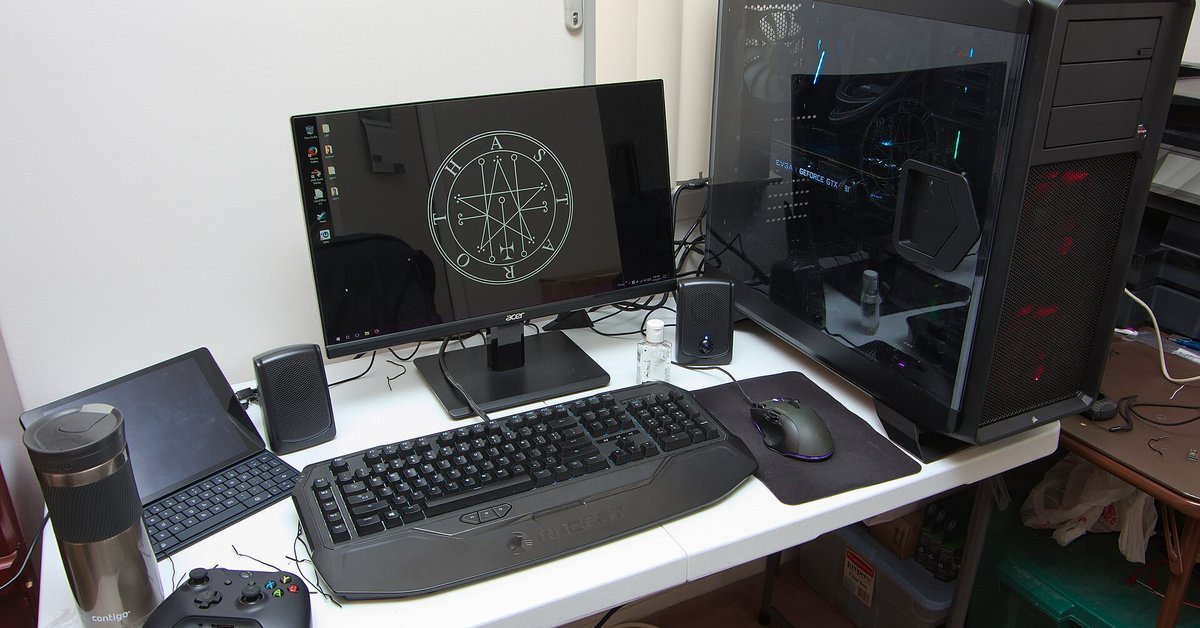
Lead photo: A desktop gaming setup with a PC, monitor, keyboard and controller, October 2017. Photo: Brian Wong, CC BY-SA 2.0, via Wikimedia Commons (cropped).