DLSS (Deep Learning Super Sampling) Frame Generation is a revolutionary technology developed by NVIDIA that uses AI to generate additional frames in supported games, significantly boosting performance and visual fidelity. As of 2026, this feature has become a game-changer for PC gamers, especially those with mid-range hardware, by enabling smoother gameplay and higher frame rates without compromising graphics quality.
The ability to turn on DLSS Frame Generation can be a straightforward process if you have the right hardware and software configuration. This article will guide you through the steps to enable DLSS Frame Generation, discuss its benefits and limitations, and provide insights into its impact on gaming performance. By understanding how to harness this technology, you’ll be able to enhance your gaming experience.
Checking Hardware and Software Requirements
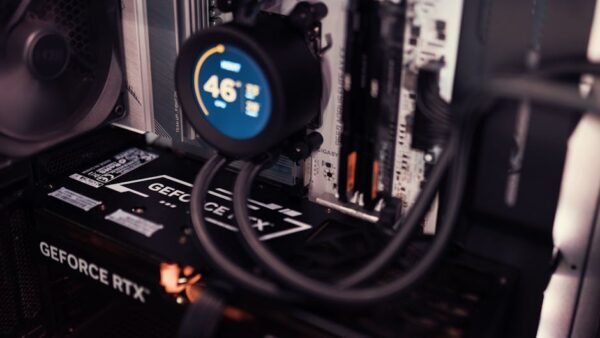
To turn on DLSS Frame Generation, you first need to ensure your system meets the necessary hardware and software requirements. The primary requirement is an NVIDIA graphics card that supports DLSS 3, which includes the GeForce RTX 40-series GPUs. Older GPUs, such as those from the RTX 30-series, may support DLSS Super Resolution but not necessarily Frame Generation.
In addition to the hardware, you’ll need to ensure that your graphics drivers are up to date. NVIDIA regularly releases driver updates that improve DLSS performance and add support for more games. As of early 2026, the recommended driver version is at least 552.22 or newer. You can check for updates through the NVIDIA GeForce Experience app or by downloading the latest drivers directly from NVIDIA’s website. Keeping your drivers updated is crucial for optimal performance and compatibility with the latest games.
Not all games support DLSS Frame Generation. As of 2026, there are over 500 titles that support some form of DLSS, but Frame Generation is available in a subset of these. You can check the NVIDIA website or your game’s settings to see if DLSS Frame Generation is supported. It’s also worth checking the game’s system requirements to ensure your hardware can handle the game’s demands with DLSS Frame Generation enabled.
Enabling DLSS Frame Generation in Game Settings
Once you’ve confirmed that your hardware and software meet the requirements, you can proceed to enable DLSS Frame Generation in your game’s settings. The process typically involves opening your game’s graphics settings, looking for the NVIDIA DLSS or Graphics Quality section, and selecting the Frame Generation option.
The exact steps may vary depending on the game, but most titles follow a similar pattern. You should launch your game, navigate to the graphics or video settings menu, and look for an option labeled “NVIDIA DLSS” or “DLSS Frame Generation.” You may need to restart the game or scene for the changes to take effect. Some games offer additional settings to fine-tune DLSS Frame Generation, such as adjusting the frame generation quality or enabling Reflex for reduced latency.
To get the most out of DLSS Frame Generation, experiment with different settings to find the optimal balance between performance and visual quality. Monitor your game’s performance using tools like NVIDIA’s FrameView or your GPU’s monitoring software to assess the impact of DLSS Frame Generation. This will help you understand how the technology affects your specific hardware and game configuration.
Performance Impact of DLSS Frame Generation
DLSS Frame Generation can significantly improve gaming performance, often doubling or tripling frame rates in supported titles. According to NVIDIA’s benchmarks, enabling Frame Generation in games like Cyberpunk 2077 can increase frame rates from 60 FPS to over 120 FPS on mid-range hardware. The actual performance gain can vary depending on the game, system configuration, and specific scene complexity.
| Game Title | Frame Rate without DLSS FG | Frame Rate with DLSS FG | Performance Gain |
|---|---|---|---|
| Cyberpunk 2077 | 60 FPS | 125 FPS | 108% |
| Microsoft Flight Simulator | 40 FPS | 90 FPS | 125% |
| Call of Duty: Modern Warfare | 80 FPS | 160 FPS | 100% |
| Assassin’s Creed Valhalla | 50 FPS | 110 FPS | 120% |
| Fortnite | 90 FPS | 180 FPS | 100% |
The data shows that DLSS Frame Generation can provide substantial performance improvements across various game genres and titles. However, the effectiveness of this technology can depend on the specific game engine, rendering complexity, and how well the game is optimized for DLSS. Understanding these factors can help you make informed decisions about when to use DLSS Frame Generation.
Potential Drawbacks and Limitations of DLSS Frame Generation
While DLSS Frame Generation offers significant performance benefits, it’s not without its limitations. One of the primary concerns is the potential for increased latency, as generating additional frames can introduce a slight delay. NVIDIA has addressed this issue in part by recommending the use of NVIDIA Reflex, a technology that optimizes the rendering pipeline to reduce latency.
Another limitation is that DLSS Frame Generation may not be suitable for all types of games or play styles. For example, competitive multiplayer games that require extremely low latency might not benefit as much from Frame Generation, as the additional latency could potentially impact responsiveness. Some users have reported minor visual artifacts when using Frame Generation, although these are generally considered to be less noticeable than those associated with other frame generation techniques.
To mitigate these issues, use DLSS Frame Generation in conjunction with other NVIDIA technologies like Reflex and DLSS Super Resolution. This combination can help maximize performance while minimizing potential drawbacks. It’s also essential to monitor your game’s performance and adjust settings accordingly to ensure the best possible gaming experience.
Future Developments and Support for DLSS Frame Generation
As we move through 2026, we can expect to see continued improvements and wider adoption of DLSS Frame Generation. NVIDIA is actively working with game developers to integrate this technology into more titles, and we’re likely to see enhancements in both hardware and software support. The company has also been investing in further refining the DLSS algorithm to improve both performance and image quality.
One area of development is the integration of DLSS Frame Generation with other rendering technologies, such as ray tracing and path tracing. As hardware becomes more powerful and algorithms more sophisticated, we may see even more impressive performance gains and visual fidelity improvements in future games. This could lead to new gaming experiences that were previously not possible with older technologies.
For gamers, this means that the ability to turn on DLSS Frame Generation will become increasingly relevant as more titles support it. Staying up to date with the latest drivers and game patches will be crucial to maximizing the benefits of this technology and ensuring compatibility with the latest games.
Conclusion
DLSS Frame Generation represents a significant advancement in gaming technology, offering substantial performance improvements for supported titles. By understanding how to turn on this feature and being aware of its capabilities and limitations, gamers can enhance their gaming experience, enjoying smoother gameplay and higher frame rates without compromising on visual quality.
As the technology continues to evolve and gain wider support, it’s likely that DLSS Frame Generation will become a standard feature in many PC games. Gamers who take advantage of this technology now will be well-positioned to enjoy the best that PC gaming has to offer in the years to come.
To maximize your gaming experience, it’s essential to stay informed about the latest developments in DLSS Frame Generation and other gaming technologies. By doing so, you’ll be able to take full advantage of the performance and visual improvements that these technologies offer.
FAQs
What is DLSS Frame Generation?
DLSS Frame Generation is a technology developed by NVIDIA that uses AI to generate additional frames in supported games, significantly boosting performance and visual fidelity. It works in conjunction with DLSS Super Resolution to enhance gaming performance.
Do I need a specific NVIDIA GPU to use DLSS Frame Generation?
Yes, DLSS Frame Generation requires an NVIDIA GeForce RTX 40-series GPU or later. Older GPUs may support DLSS Super Resolution but not Frame Generation. Check NVIDIA’s website for a full list of supported GPUs.
Can I use DLSS Frame Generation with other NVIDIA technologies?
Yes, DLSS Frame Generation can be used in conjunction with other NVIDIA technologies like DLSS Super Resolution and NVIDIA Reflex for optimal performance and reduced latency. This combination can help maximize gaming performance while minimizing potential drawbacks.