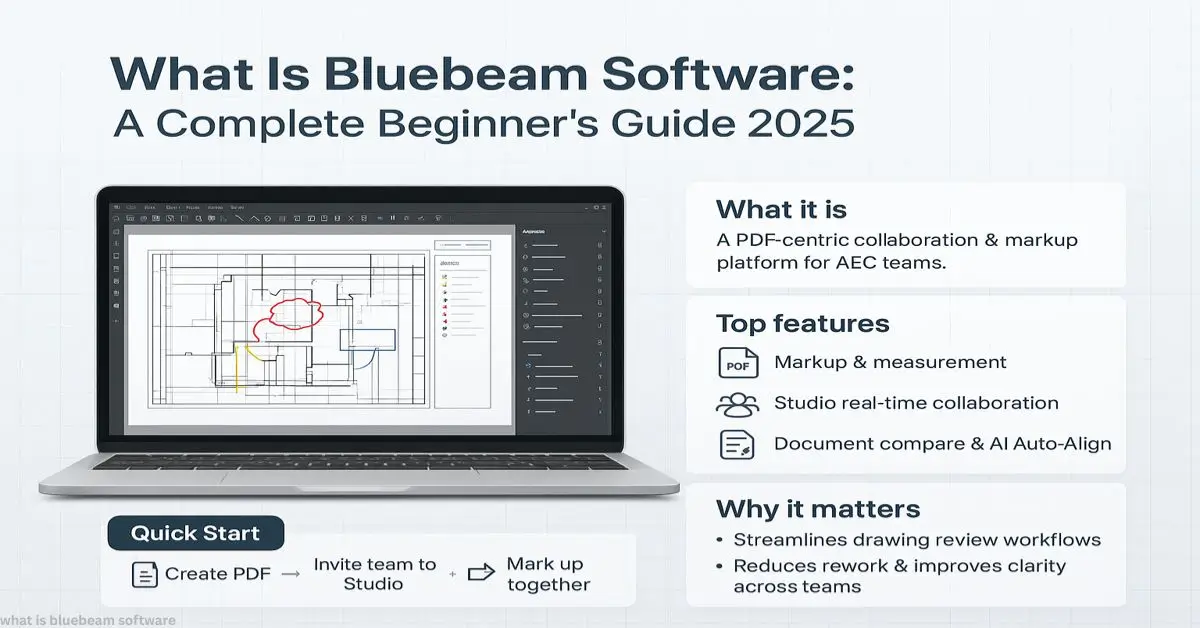
If you’ve ever felt buried under paper drawings, endless email attachments, or confusing PDF markups, you’re not alone. Construction and design teams lose an estimated 35% of their time chasing documents and approvals (McKinsey, 2023). That’s where Bluebeam steps in.
Bluebeam Revu, launched in 2002, is now trusted by over 2 million professionals worldwide. According to Engineering News-Record, it’s one of the top PDF collaboration tools in construction. Autodesk experts even call it the “industry standard for markup.”
So, what is Bluebeam software? It’s more than a PDF editor. It’s a digital construction toolkit that turns messy paperwork into shared, trackable, collaborative workflows.
Explore More:
Instant Answer
Bluebeam software is a digital PDF and collaboration tool built for construction, engineering, and architecture teams. It helps users mark up drawings, measure plans, compare revisions, and share updates in real time. With over 500,000 firms worldwide relying on it, Bluebeam Revu speeds up project approvals, reduces paper waste, and connects teams through its cloud platform, Studio.
What Is Bluebeam Software Used For?

At its core, Bluebeam solves the chaos of document control.
- PDF markup: Highlight, measure, and comment directly on plans.
- Version tracking: Compare revisions with one click.
- Collaboration: Bluebeam Studio lets multiple people edit a file at once.
Key Intake: It’s built to manage construction documents in one place no more scattered folders or endless email chains.
How Does Bluebeam Revu Work?

Revu runs like a construction-ready PDF editor with extra powers.
- Open a plan (PDF or scanned).
- Use tools like measurements, stamps, and annotations.
- Store files in Studio to invite others.
Think of it like Adobe Acrobat, but engineered with measurement tools, markups, and workflows that builders actually use. This is why when people ask what is Bluebeam software, the answer is always tied to its AEC focus.
Is Bluebeam Better Than Adobe Acrobat?
Both are PDF editors, but they’re built for different worlds.
- Adobe Acrobat → general business PDFs.
- Bluebeam Revu → construction drawings, scale-based tools, project workflows.
Fact: Bluebeam’s takeoff and measurement tools cut estimating time by 50% compared to Acrobat (Dodge Data Analytics, 2024).
Which Industries Use Bluebeam Software?
Bluebeam isn’t just for contractors. It powers document control across AEC.
- Construction firms → handle drawings, RFIs, and approvals.
- Architects & engineers → review designs and issue markups.
- Educators → train students on industry workflows.
- Government projects → ensure compliance and digital records.
If you’ve been wondering what is Bluebeam software good for outside construction, here’s your answer: it’s versatile enough for multiple industries.
What Are the Key Features of Bluebeam Revu?
Must-know highlights:
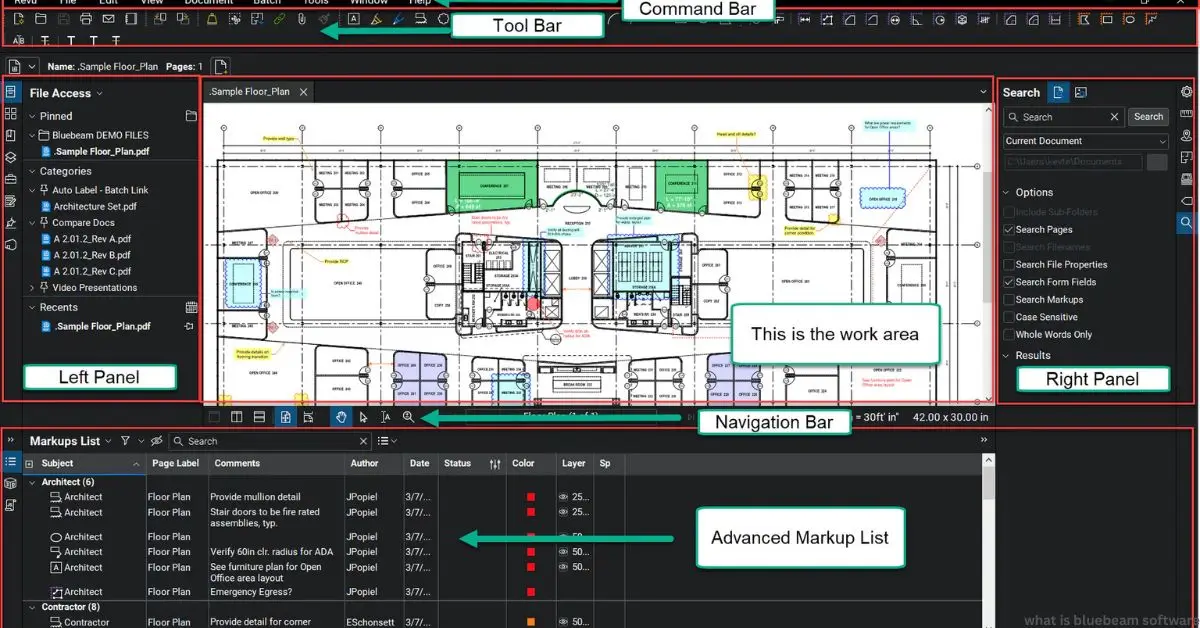
- Markup & Measure: Add comments, sketches, and measurements directly on PDFs.
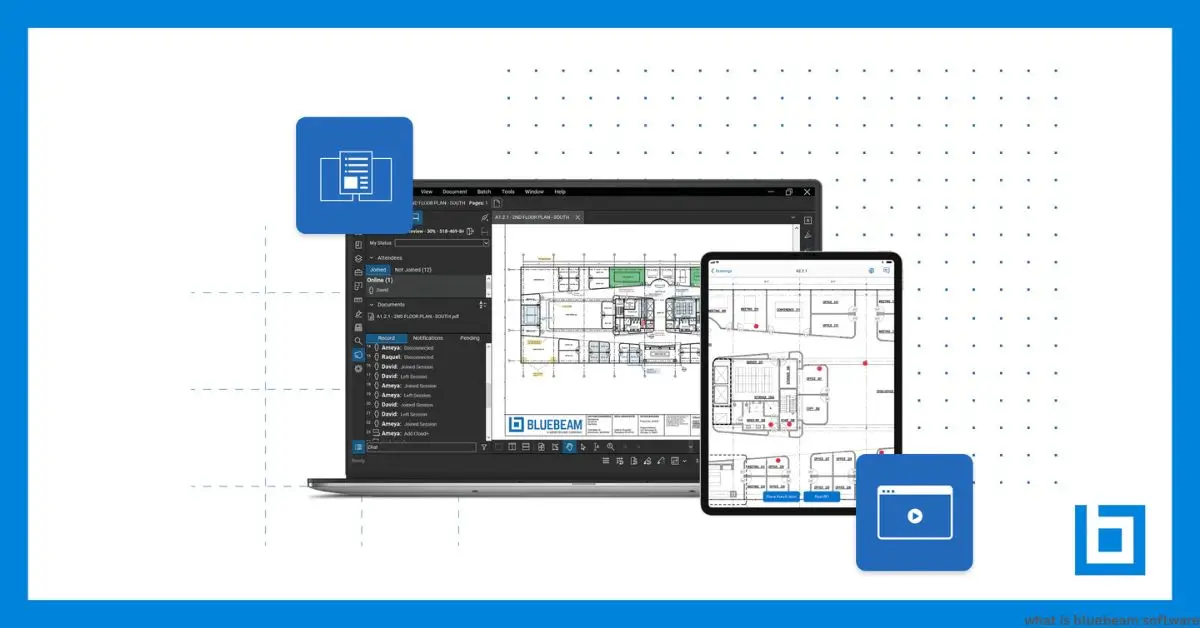
- Studio Sessions: Real-time team edits, like Google Docs for drawings.
- Document Management: Track revisions and approvals.
- Integrations: Connects with tools like SharePoint and Procore.
How Do You Use Bluebeam for PDF Markup?
Markup is Bluebeam’s signature move.
- Add text, arrows, callouts.
- Measure distances, areas, volumes.
- Save custom tools for repeat use.
Example: A contractor measuring wall lengths directly on PDF drawings — no ruler, no manual scale.
Is Bluebeam Free or Paid?
Bluebeam is paid software with different plans.
- Basics: simple markup, $240/year.
- Core: advanced tools, $300/year.
- Complete: full workflow suite, $400/year.
Students and educators often get discounted access.
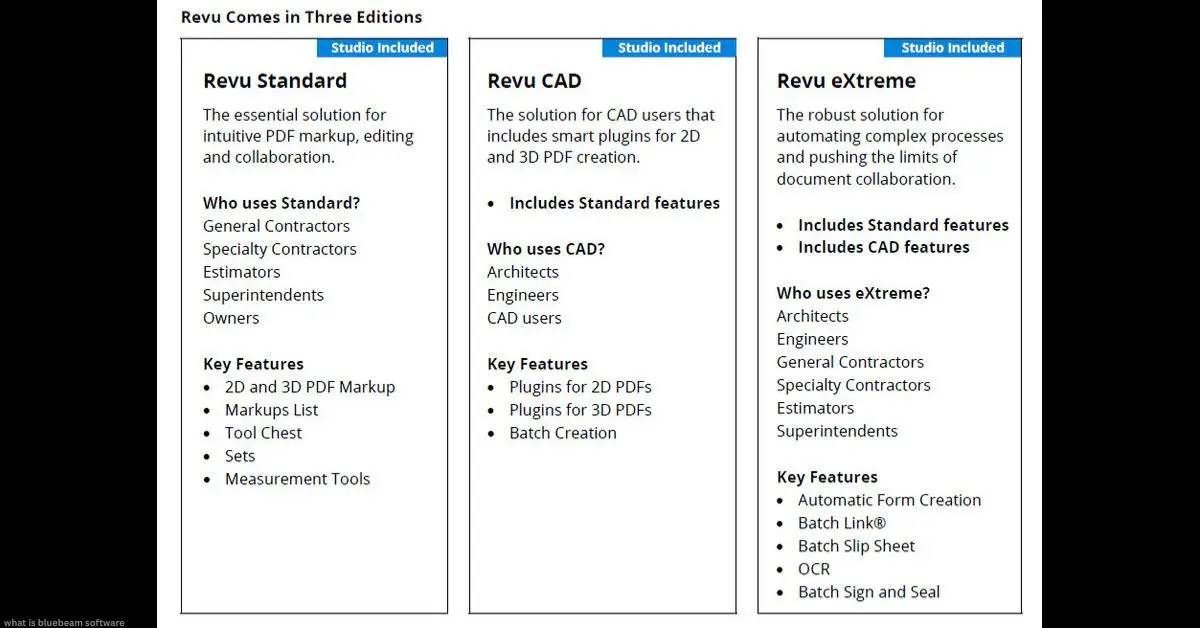
What’s the Difference Between Bluebeam Standard and Extreme?
- Standard: Basics like markups, measurements, editing.
- Extreme (now Complete): Automation features like batch processing, OCR, and forms.
If you’re an architect or engineer, Extreme saves hours in repetitive tasks.
How Does Bluebeam Help Contractors?
Contractors use Bluebeam to speed up project approvals and reduce rework.
- Share drawings instantly.
- Catch errors before they hit the field.
- Document decisions for accountability.
Real-world stat: Contractors using Bluebeam report a 60% faster RFI turnaround (Construction Executive, 2024).
How Do You Collaborate with Bluebeam Studio?
Studio is the cloud side of Bluebeam.
- Upload files to a shared workspace.
- Invite teams to edit live.
- Keep audit trails of every change.
Think of it like a digital war room where architects, engineers, and builders all meet without leaving their desks.
Which Version Is Best for Architects?
Architects often prefer Bluebeam Revu Complete for:
- Batch link creation.
- 3D PDF support.
- Large-scale drawing reviews.
Pro tip: If you’re just starting, Core is enough. Upgrade when workflows get heavier.
How Does Bluebeam Compare with Autodesk?
- Bluebeam → best for PDF-based workflows and markups.
- Autodesk (AutoCAD, Revit) → design creation tools.
Many firms actually use both: Autodesk for design, Bluebeam for review.
Can Bluebeam Integrate with Project Tools?
Yes. Bluebeam integrates with:
- Procore
- SharePoint
- Dropbox
- Box
This ensures your PDF workflows don’t sit in isolation.
What Problems Does Bluebeam Solve in Construction?
- Paper waste
- Lost revisions
- Slow approvals
- Poor collaboration
In short: It solves the “where’s the latest drawing?” problem.
How to Learn Bluebeam Quickly as a Beginner?
- Start with Bluebeam’s YouTube tutorials.
- Try the official free trial.
- Use templates from peers.
Tip: Spend your first week just marking up PDFs. The deeper workflows come naturally later.
Sources
- Bluebeam: Official Product & Company Information (trusted primary source for features, pricing, and updates)
- Quantity Surveying Coach: Bluebeam Revu 21: Features, Benefits, and How to Get Started (industry-focused training insight)
- Brighter Graphics: Bluebeam Revu for Construction Project Management (recognized AEC software distributor perspective)
- VDCI: What is Bluebeam?
FAQ’s
What is Bluebeam software used for?
It’s used to mark up, measure, compare, and share PDFs in construction and design projects.
How does Bluebeam Revu work?
It acts as a PDF editor with built-in construction tools, allowing collaboration through Bluebeam Studio.
Is Bluebeam better than Adobe Acrobat?
Yes, for construction. It includes measurement and markup tools Acrobat lacks.
Can Bluebeam integrate with project tools?
Yes, it works with Procore, SharePoint, and other platforms.
How to learn Bluebeam as a beginner?
Start with free tutorials, practice markup tools, and use the trial version.
Author Bio
Daniel Mercer is a Construction Technology Writer having 12 years of experience covering AEC software and has tested digital tools with contractors and architects across the U.S.